PDFium Component Suite


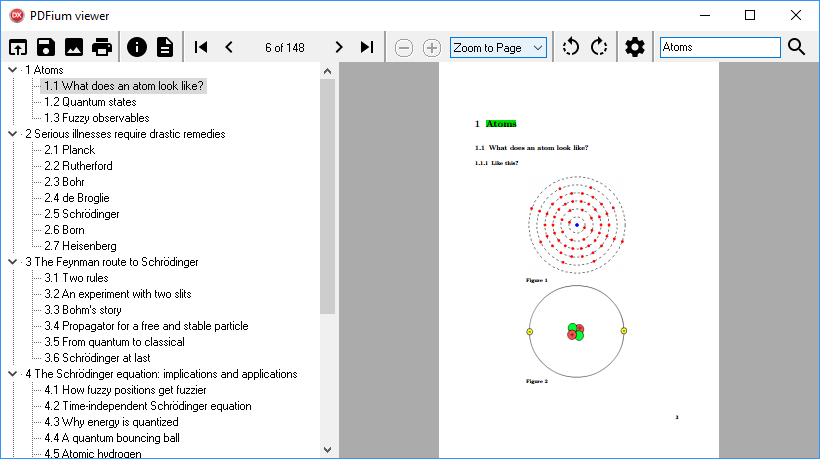
Delphi and C++Builder components for viewing, navigating, extracting text, and editing PDF files.
- Utilizes the PDFium open-source PDF rendering engine
- Compatible with Delphi/C++Builder versions 5 - 13 and Lazarus 4.8
- Includes source code with the registered version
- Royalty-free distribution in your application
Order PDFium Component Suite $160 USD (license for one developer)
Order PDFium Component Suite multi-license $480 USD (license for all developers in company)
Order PDFium Component Suite year upgrades $80 USD (registered users only)
Order PDFium Component Suite year upgrades multi-license $240 USD (registered multi-license users only)
FAQ
How do I open a PDF directly from memory?
const PdfContent = TFile.ReadAllBytes('file.pdf'); // read PDF content from file to memory
Pdf.LoadDocument(PdfContent, Length(PdfContent)); // load PDF from memory data
How can I resolve the "File not found or could not be opened" exception?
This issue may occur when PDF file names include non-ASCII characters. To fix this, you can either rename the PDF files to use only ASCII characters, or alternatively, open the PDFs directly from memory using the method TPdf.LoadDocument.How can I attach a file to a PDF?
Pdf.Active := True;
Pdf.AddAttachment('MyFile.txt', TFile.ReadAllBytes('MyFile.txt'))'
Pdf.SaveAs('MyDocument.pdf');
 Create PDF Forms with LibreOffice
 Industry Supported PDF/A Validation
 PDF association